
The path to becoming more productive is not always discrete. Hundreds of online tools promise to increase your productivity but are often complicated to use. You end up wasting more time figuring out the tools than you would take to complete the task yourself.
But IFTTT (if this, then that) is an expectation. This simple tool allows you to create workflows and routines and automate repetitive tasks, making it easier to keep track of tasks.
In this article today, we will look at some of the best use cases of IFTTT and show you much you can get done with this simple tool.
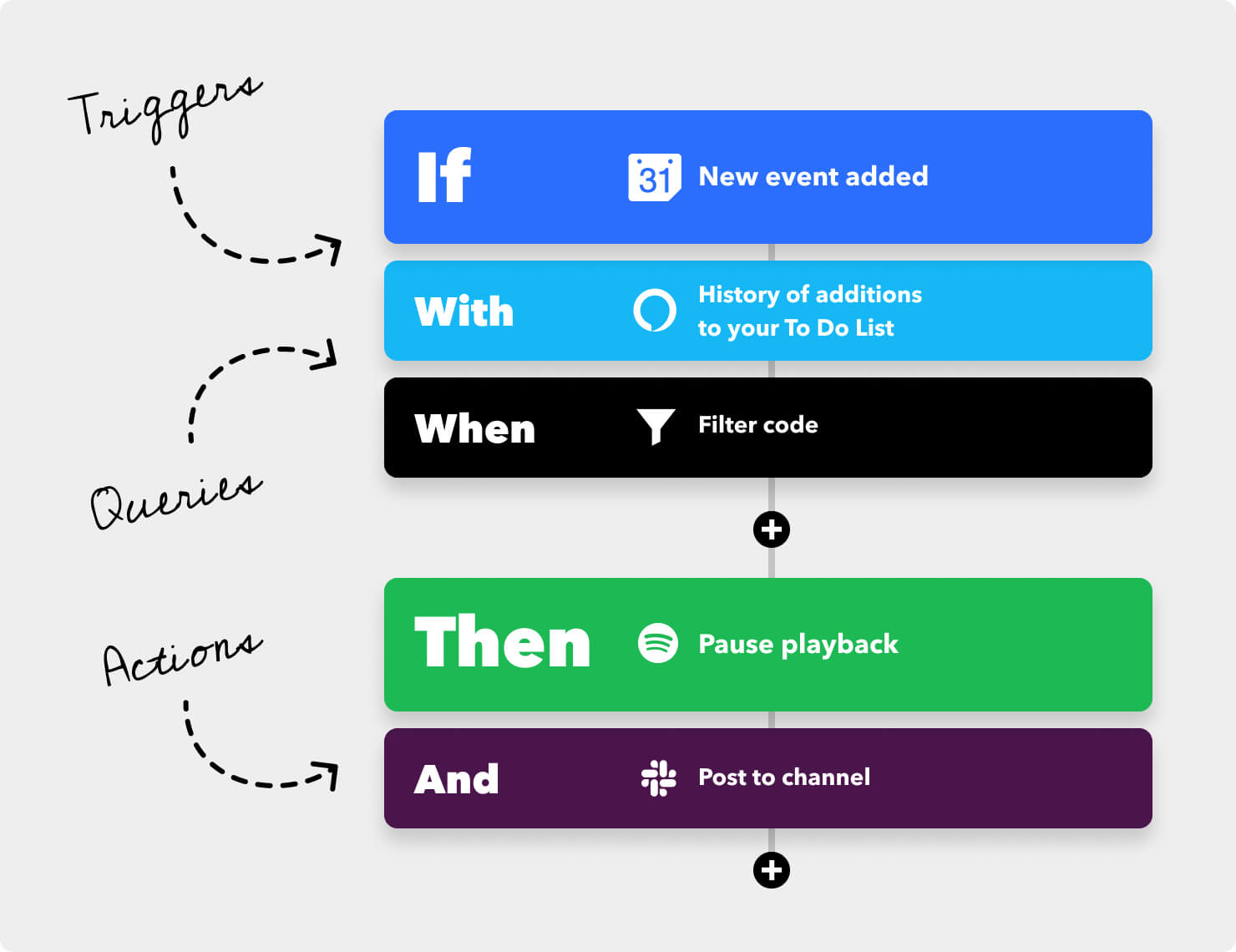
Streamline notifications and reminders
A constant flow of notifications can be overwhelming and can lead you to miss important updates. How often did you miss an important email because of another notification blocking your view? With IFTTT, you can tailor the experience and declutter your inbox by forwarding all of your important notifications to a specific channel or even to a certain device. You can set rules where work email and phone calls will go to a particular device, making tracking easier.
You can also direct all of your work-related news to a Slack or Microsoft Teams channel in a few quick clicks.
Sync All Your Social Media Channels
Social media has become extremely important for businesses of all shapes and sizes. But keeping them all synced can be difficult and time-consuming. And we all know consistency is key when it comes to Social media channels, and thankfully IFTTT has a perfect recipe to help you out.
With IFTTT, you can change the profile picture of one social media channel and see how it reflects on others channels as well. You can also automate your post, so when you upload a picture on Instagram, your Twitter thread will also be updated.
Use Hashtag on Twitter To Add the Tweet to a Google Spreadsheet
Hashtags are a great way to track how people react to your product. But you may also want to document these responses to figure out how well they are performing.
But manually documenting them can be a hassle and a waste of time. But IFTTT has a recipe to help you out. Whenever someone tweets a particular hashtag, like say your company’s name or slogan, it gets added to a Google Docs Spreadsheet. You can then come back and get useful insights
Whether you’re running a competition or just want to keep a database of how people are reacting to your product, this IFTTT recipe is perfect. Whenever someone tweets a particular hashtag, like say your company’s name or slogan, it gets added to a Google Docs Spreadsheet.
It is remarkable how IFTTT automatically builds a database of who’s saying what about your company. Other third-party companies charge thousands of dollars for this kind of service!
Task Management
If you use a project management app like Trello, you will find yourself shuffling cards from one board to another. This takes unnecessary time, and using IFTTT; you can automate this process easily.
You can set rules so that once a task is completed, it will automatically move into a complete tab and assign a new task to the member. You can also keep an eye and reshuffle the cards yourself, but not having to manually close cards can be a huge time saver.
Track Your Work Hours in Google Calendar
Keeping track of employees is a difficult task. Having a manual timesheet for them to check when they enter or go out can be a demotivating and expensive task. But with IFTTT, you can simplify this by setting up a recipe with the help of Google calendar.
This recipe tracks the times people arrive, leaves a set location in Google Calendar, and updates a spreadsheet. This is great as you can track employees without having to manually keep an eye on them, which can be time-consuming and demeaning for the employers themself.
Keep yourself updated every day!
Most of our life is getting busier, and it is becoming increasingly difficult to keep ourselves updated with the latest trend. IFTTT has one more trick to help you stay on top of all the new trends. You can use IFTTT to subscribe to our newsletter, and whenever new content matches the trigger, you will be sent an email with the content for you to check out.
This can be used with any other industry publications as well and can be a great way to stay productive without having to think about it constantly.
Wrapping Up
IFTTT is an excellent tool to automate simple things that would otherwise take unnecessary time. It is not as powerful as Zapier and is often harder to set up. But IFTTT is completely free and can be a great time saver for simpler things.
If you have not used IFTTT before, check it out, and we are certain you will be pleasantly surprised by how much you can do with the tool.


